Messages

Messages with families and colleagues, instead of WhatsApp groups

Write to a parent, the whole class or the staff directly in the Kindertap app, with text and attachments. School communications stay in one place, separate from personal chats.

Included in every plan1

Neither the usual group nor dozens of single chats

In a classic group everyone reads everything. With broadcast lists you have to follow dozens of individual conversations, and colleagues don't know what has been said. Messages is designed for early childhood and lets you choose, for each conversation, who writes and who reads.

  • Attachments: photos, videos and any other file
  • Delivery and read receipts for every message
  • From the app and the web, for parents and staff
Neither the usual group nor dozens of single chats

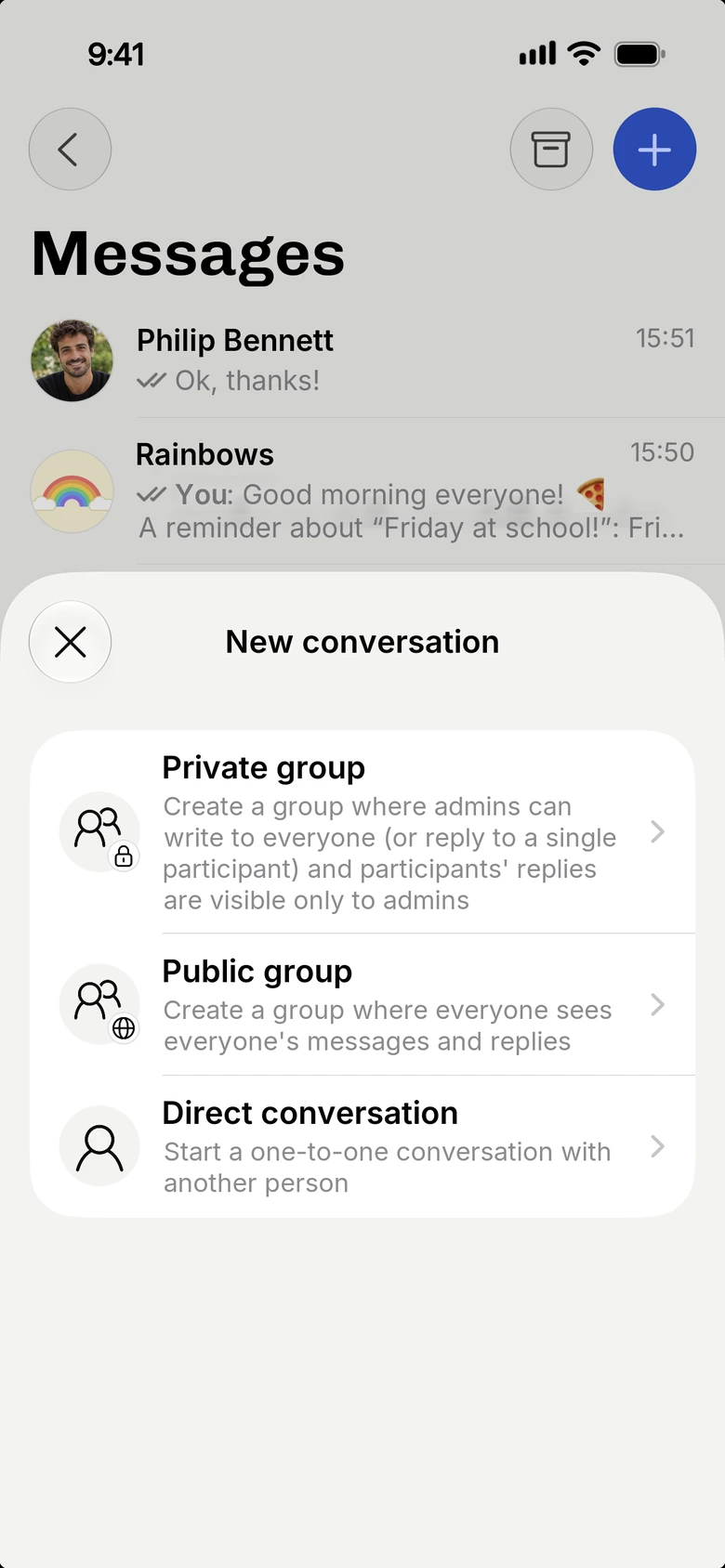
Three types of conversation, one for every need

Direct conversation

To write to a single person, whether a parent or a colleague.

Public group

All participants see everyone's messages and replies, as in a traditional group.

Private group

Administrators write to everyone or reply to individuals, and only they see participants' replies. Ideal for notices to the whole class.

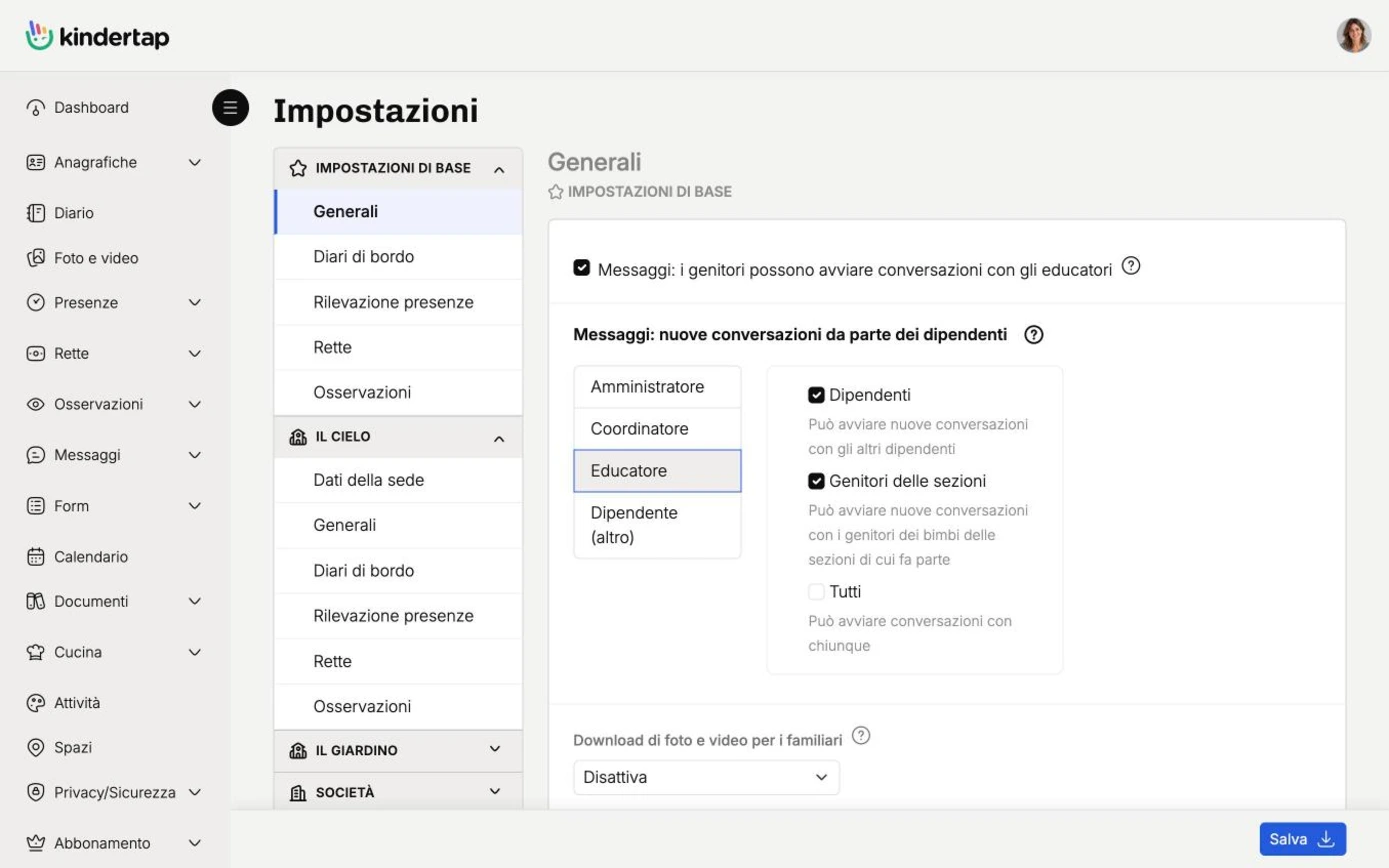
Everything under control with the admin console

Administrators can view every conversation, active or archived, and decide who can start new conversations and with whom.

  • Access to all conversations, including archived ones
  • Rules on who can write to whom
Everything under control with the admin console

And also

Quick messages

Save the texts you write often once and send them with one tap.

Push notifications

A smartphone notification for every new message, so no one misses an important notice.

Archiving

Finished conversations can be archived: they remain available without cluttering the main screen.

1. Some features may be available only in the Premium plan. For more information, check the features comparative table of the different plans.

Try Kindertap at your facility

Create your account in minutes: the Free plan never expires.

Accessibility and appearance

Customize the site display

Theme

Follows the light or dark theme set on your device.

Text size
Turns off animations and transition effects.
Already enabled from your device settings.
Stronger secondary text, borders, and separators.
Already enabled from your device settings.
Makes links recognizable even without color.
Uses a typeface designed to better distinguish similar letters.

Preferences are saved in this browser and apply only to this device.