General features

The essentials for every day, included in every plan

Records, photos, messages, forms, calendars and documents: the features you use every day are always available and work together with the modules you choose, on the web app and on the app.

Included in every plan1

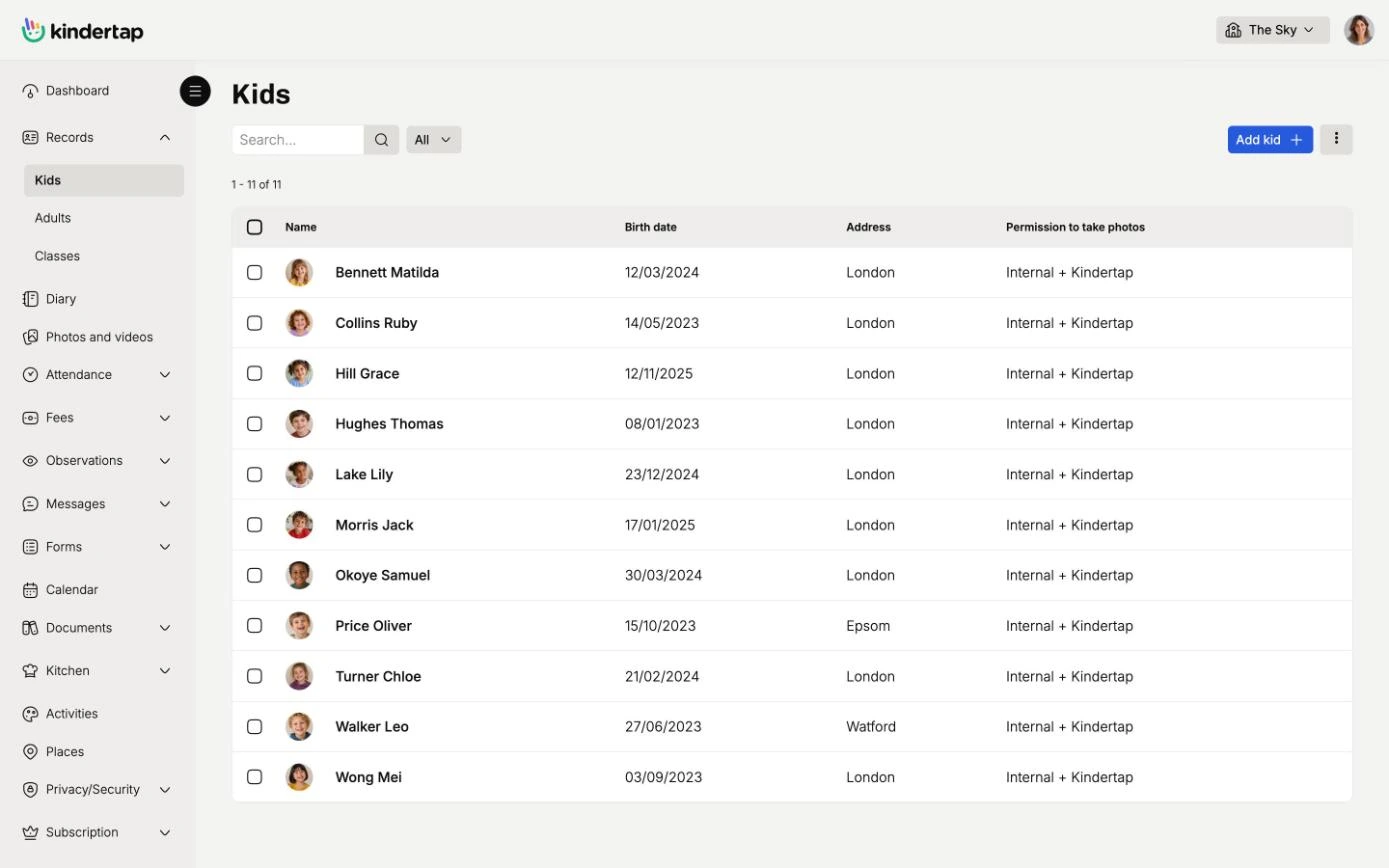
Tidy records, no more binders

Children, parents, authorised pick-up persons, staff and groups are all in one archive, always up to date and accessible from any device. You find the data right when you need it, even years later.

  • Scanned documents saved in each person's record
  • Authorised pick-up persons and privacy consents always at hand
  • Initial import from file, to get started quickly
Tidy records, no more binders

Photos and videos, shared only with those who should see them

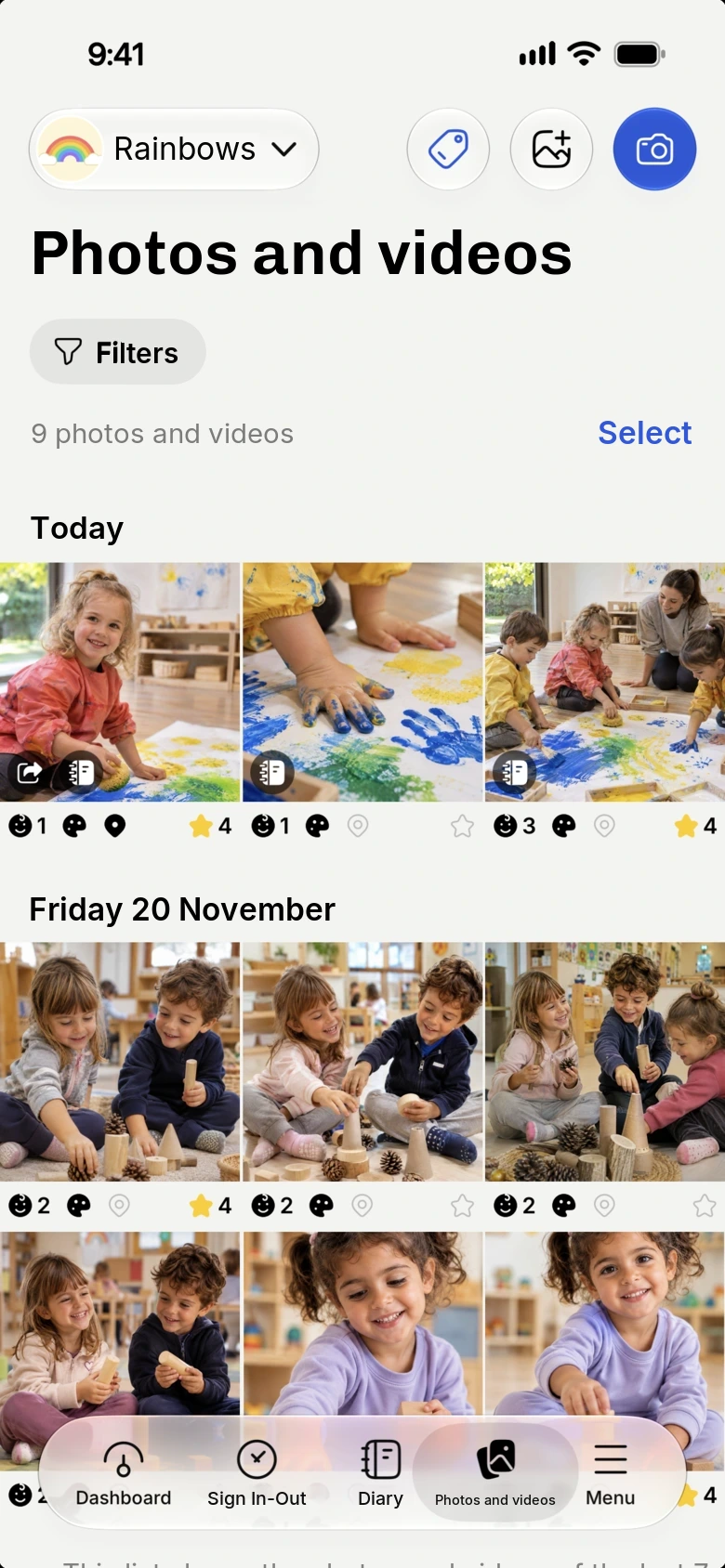
You take pictures from the app, tag the children and the activity, and the images end up in a well-organised gallery. Each family only sees the photos in which their own child appears.

  • Kindertap checks the consents in the records and blocks sharing when they are missing
  • Search by child, activity and period in a few seconds
  • At the end of the year parents download everything in a single ZIP file
Discover photos and videos
Photos and videos, shared only with those who should see them

Messages with families and colleagues, instead of WhatsApp groups

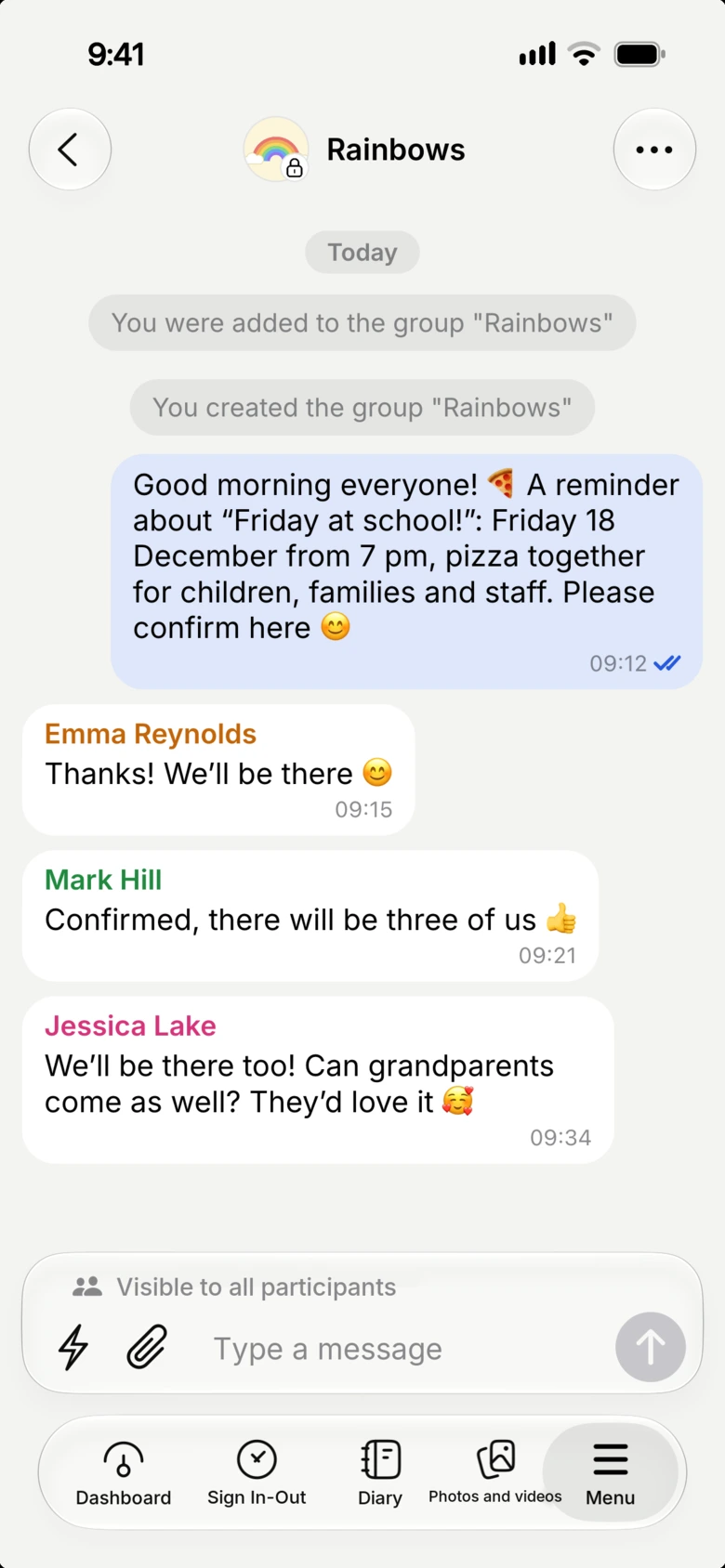
Direct chats and groups designed for early childhood: write to a parent, to the whole group or to the staff, with texts and attachments, without exchanging personal phone numbers.

  • Direct or group conversations, with attachments
  • School communications kept apart from personal chats
Discover messages
Messages with families and colleagues, instead of WhatsApp groups

Online enrolments and forms, with electronic signature

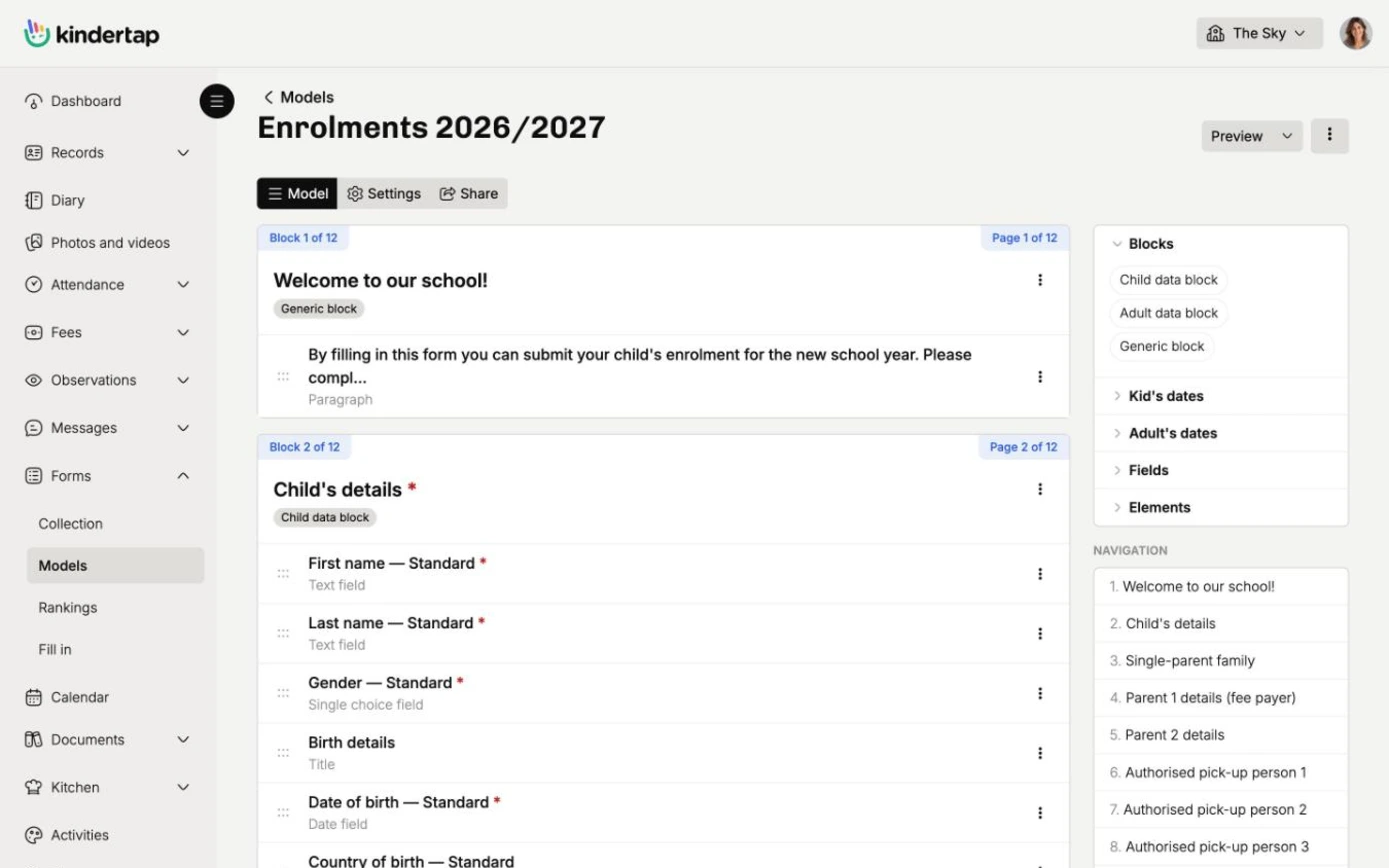
Enrolments, delegations, authorisations, time slot changes, leave requests and surveys: you create the forms you need and families or staff fill them in online, even from a public link.

  • Advanced electronic signature with OTP, legally valid under the eIDAS regulation
  • Admission rankings calculated as enrolments come in
  • Data and rankings exportable to Excel or PDF
Discover forms and electronic signature
Online enrolments and forms, with electronic signature

Calendars shared with families

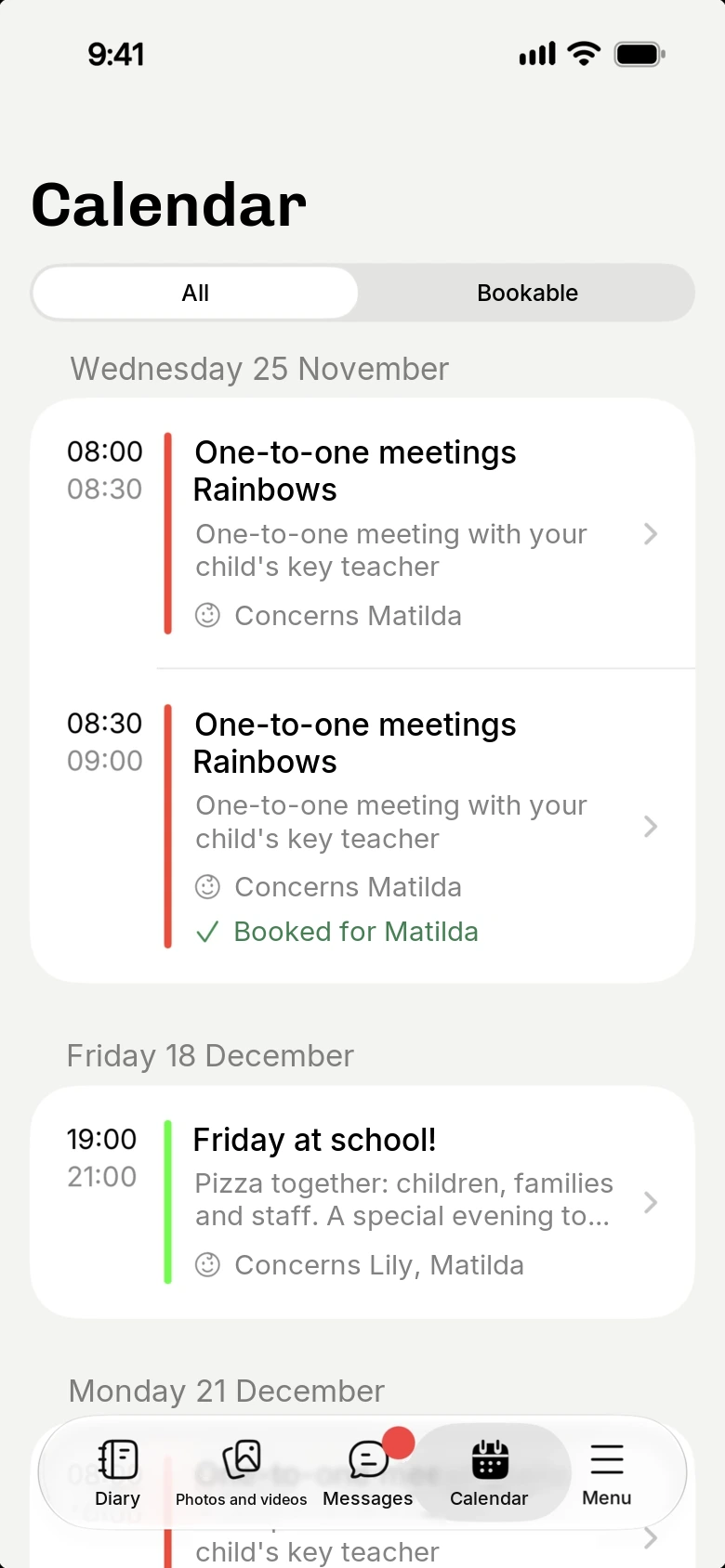
You plan meetings, parties, parent-teacher talks and courses. When an event concerns families you share it: parents get a notification on the app and find all the details.

  • Multiple calendars, each with its own events
  • Attachments in events
  • An event copied to several days in a moment
Calendars shared with families

And everything you need every day

Documents

Circulars, regulations and forms in one place, shared with families or staff.

Kitchen and menus

Enter the weekly canteen menus and fill in the meal diary in less time.

Activities and spaces

Catalog the facility's activities and spaces, then find them ready whenever you tag photos or fill out the diary.

Multiple locations, one account

Each location sees only its own data, while management has the full picture in real time.

Permissions and activity log

Decide which data and features each user can access. Kindertap logs everyone's operations, for any check even years later.

Even without a connection

The staff app also works with an unstable or missing network and syncs everything as soon as the connection is back.

App and web app

Apps for Android and iOS, on smartphones and tablets, and a web app on PC and Mac. Families can also access from the app or a browser.

Sign in with the app for Android and iOS iOS App

Data kept safe, with certified guarantees

ISO 9001 ISO/IEC 27001
  • Management system certified ISO 9001 and ISO/IEC 27001.
  • Data on servers in the European Union, processed in line with the GDPR.

1. Some features may be available only in the Premium plan. For more information, check the features comparative table of the different plans.

Try Kindertap at your facility

Create your account in minutes: the Free plan never expires.

Accessibility and appearance

Customize the site display

Theme

Follows the light or dark theme set on your device.

Text size
Turns off animations and transition effects.
Already enabled from your device settings.
Stronger secondary text, borders, and separators.
Already enabled from your device settings.
Makes links recognizable even without color.
Uses a typeface designed to better distinguish similar letters.

Preferences are saved in this browser and apply only to this device.