Observations

Observations that tell the story of each child's growth

Systematic observation becomes possible even on busy days: you record observations in the app as things happen, with the grids you already use, and Kindertap organises and processes them for you.

Included in the Observations module1

Observing methodically, right in the app

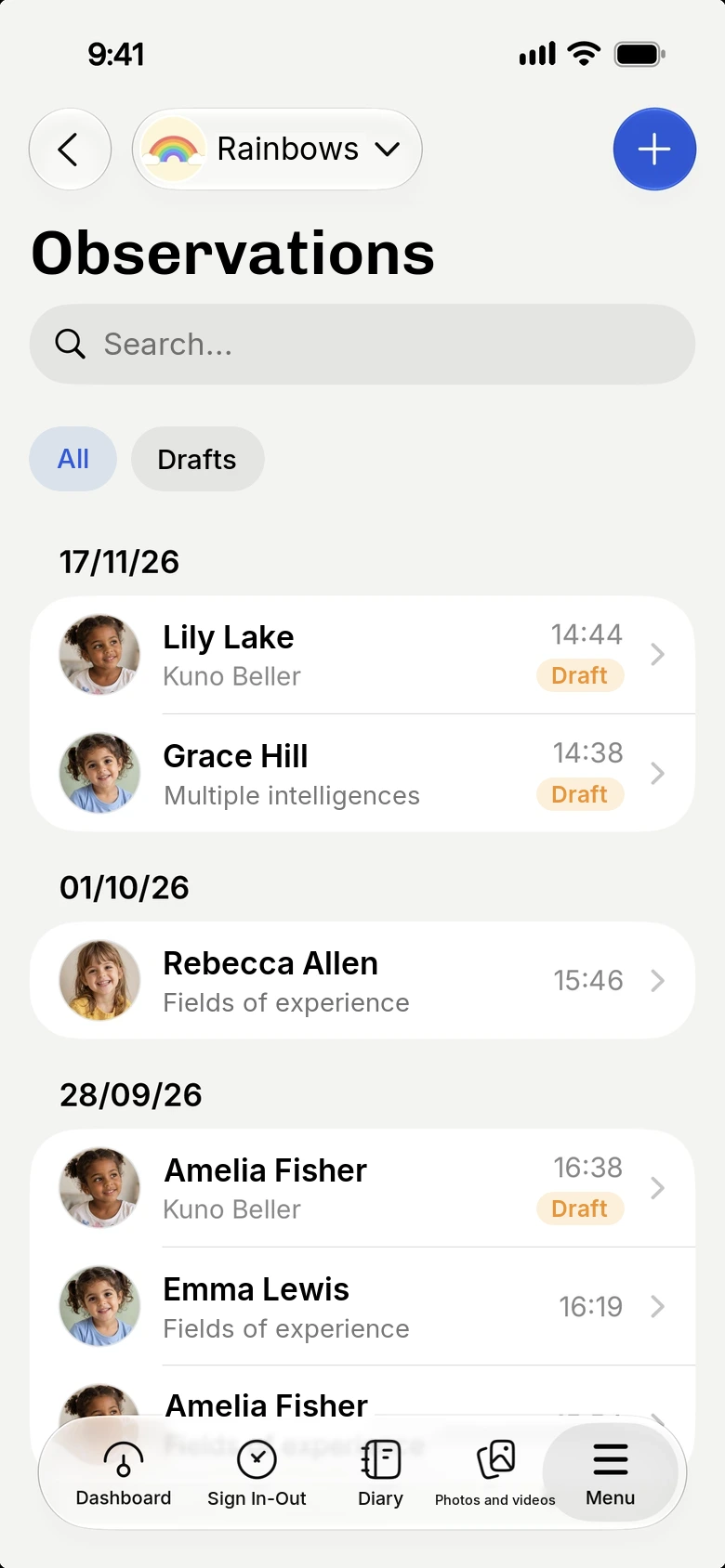
Observing helps you get to know and document the development of a child or a group, but with pen and paper it often remains an intention. With the app you note the observation at the right moment, from a tablet or smartphone.

  • Observations for an individual child or for the group
  • Everything organised by child and by period
  • Works even without a connection
Observing methodically, right in the app

Your grids, not ours

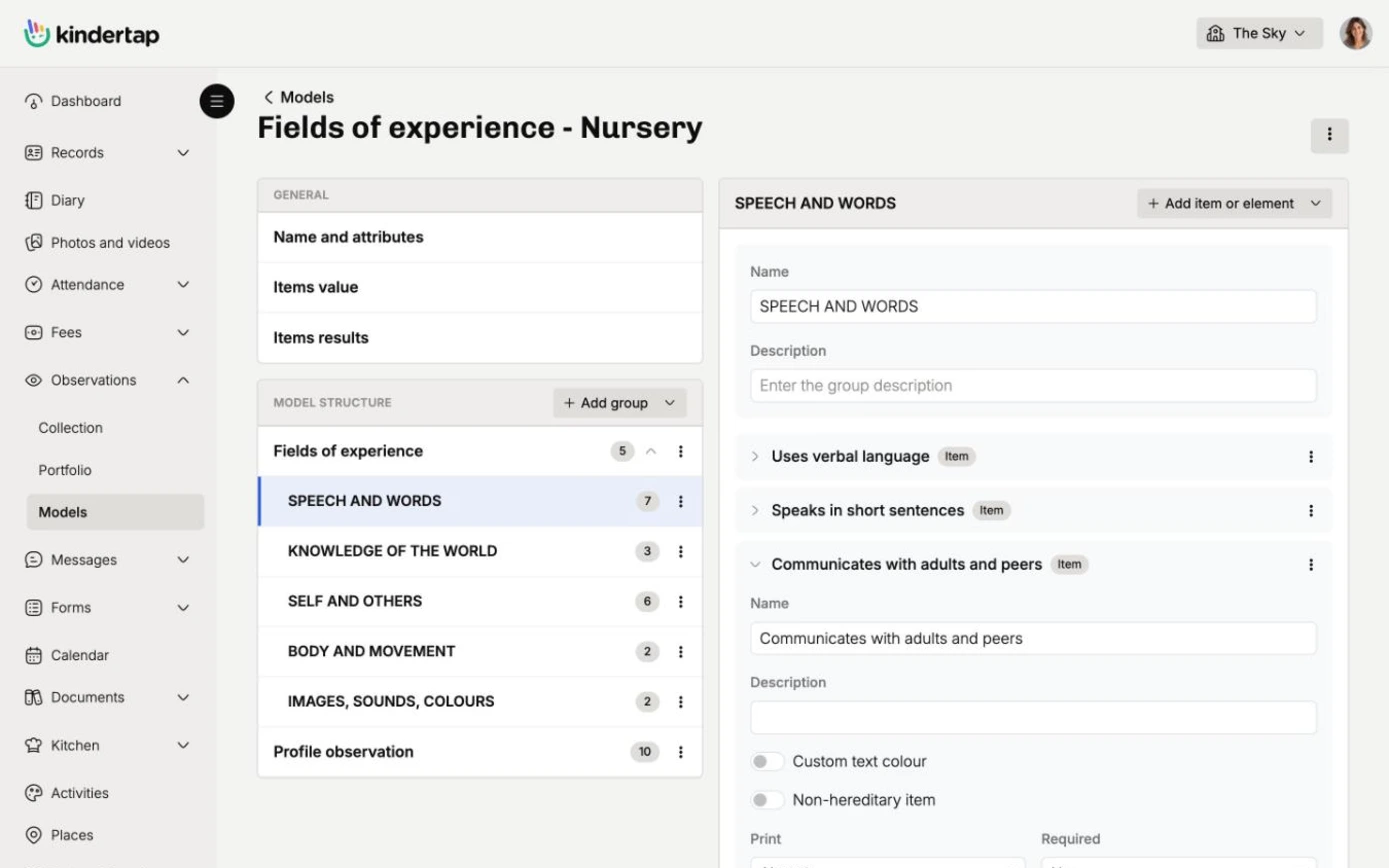
Kindertap doesn't tie you to one method. With the model editor you build or adapt the grid you use, choosing items, areas and types of answer, such as free text or tick boxes.

  • From descriptive templates, with photos and text, to structured grids such as Fields of Experience or Kuno Beller
  • A model for every need of the team
Your grids, not ours

Ready-made charts, for the child or the group

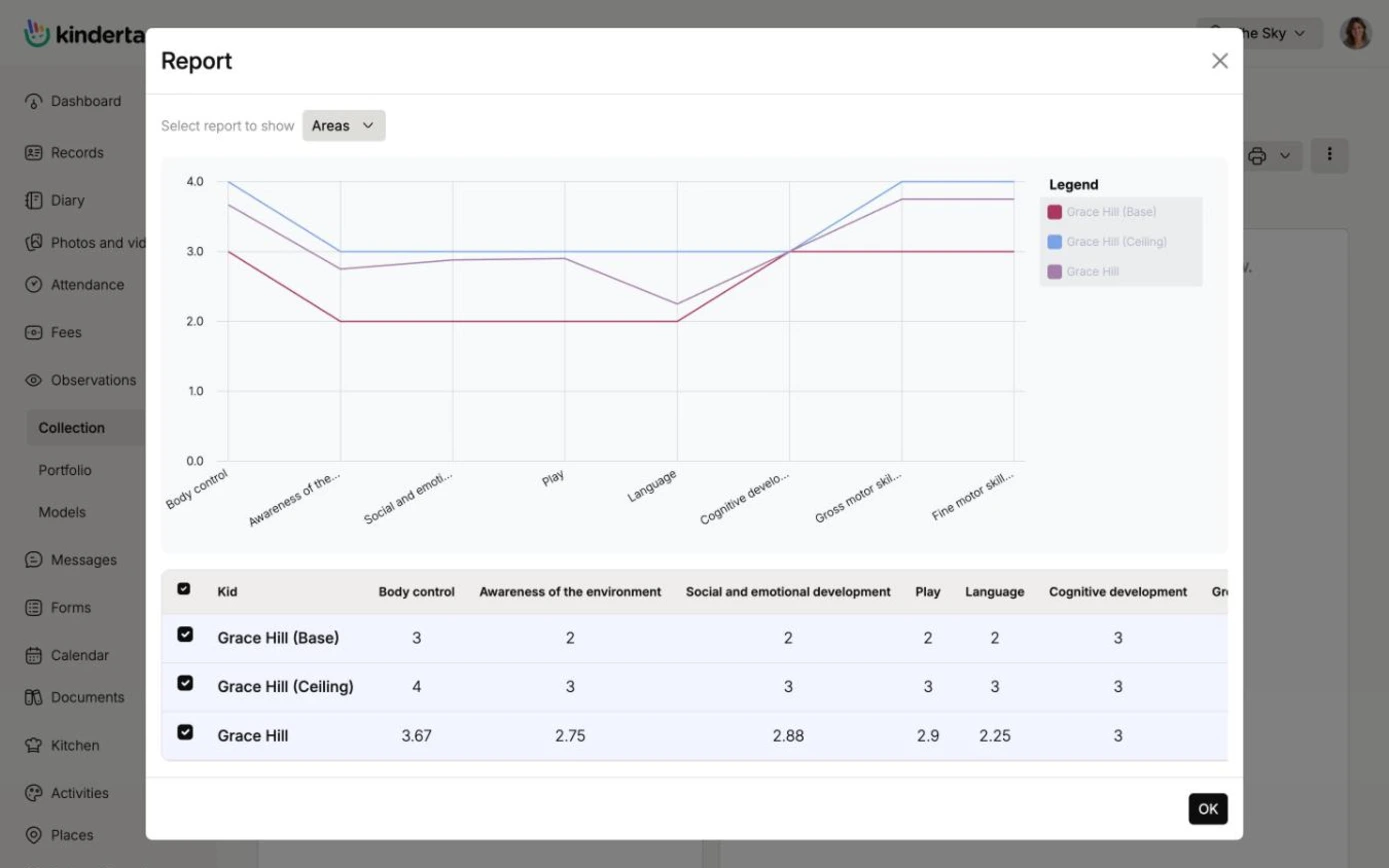
If the grid lends itself to being read as a table or chart, Kindertap does the calculations. You don't waste time reworking the results, and you follow development over time with the summary views.

  • Summary views for an individual child or the whole group
  • Material ready for parent meetings and teamwork
Ready-made charts, for the child or the group

Photos and videos as traces of the observation

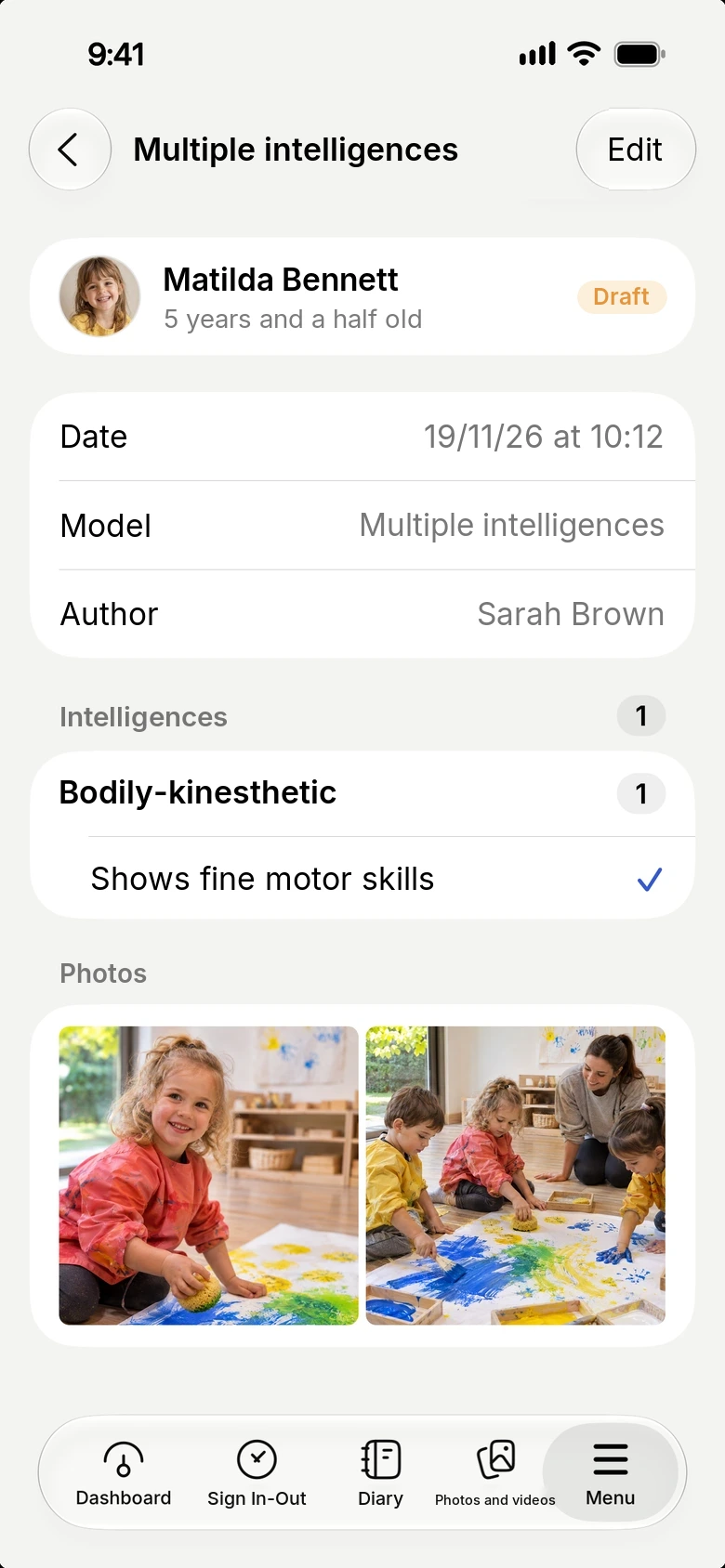
Observations are linked to photos and videos: after a meaningful shot you write the observation and attach the image, which remains available as food for thought.

  • The most meaningful images alongside each observation
  • An archive that tells the story of each child's journey
Discover photos and videos
Photos and videos as traces of the observation

1. The features presented in this page are available in the Premium plan only if you activate the relevant module. Observations. For more information, check the features comparative table of the different plans.

Try Kindertap at your facility

Create your account in minutes: the Free plan never expires.

Accessibility and appearance

Customize the site display

Theme

Follows the light or dark theme set on your device.

Text size
Turns off animations and transition effects.
Already enabled from your device settings.
Stronger secondary text, borders, and separators.
Already enabled from your device settings.
Makes links recognizable even without color.
Uses a typeface designed to better distinguish similar letters.

Preferences are saved in this browser and apply only to this device.